Local-first password manager for Mac
Passwords that stay on your Mac
Bevel Keys is a password manager for Mac that keeps logins in an encrypted vault on your computer — no Bevel Keys account to babysit, no cloud vault required to unlock.
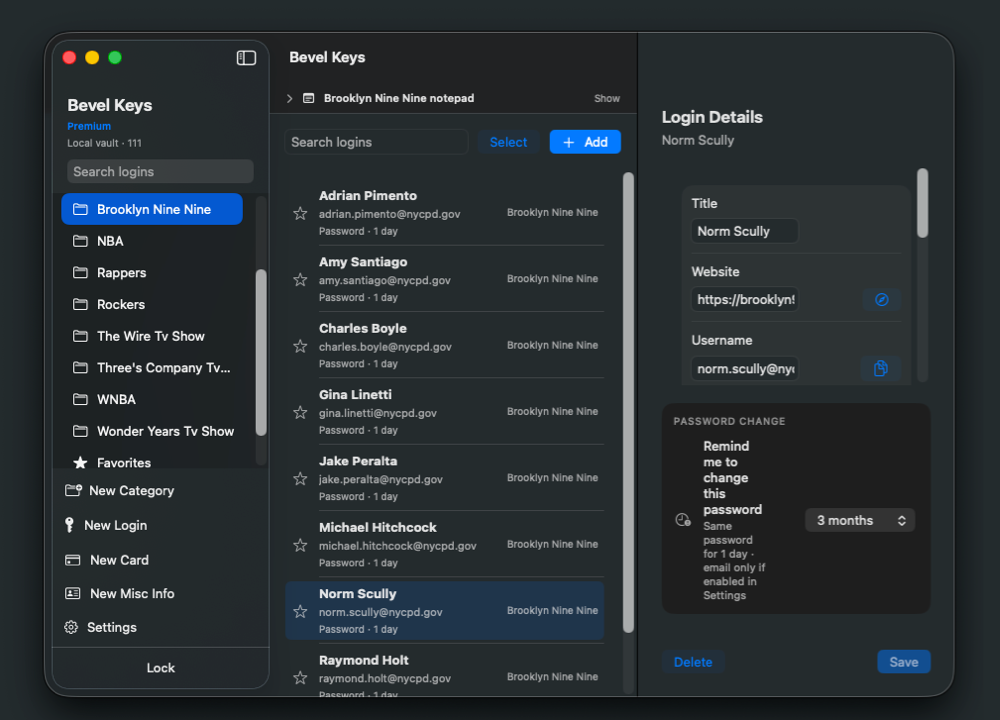
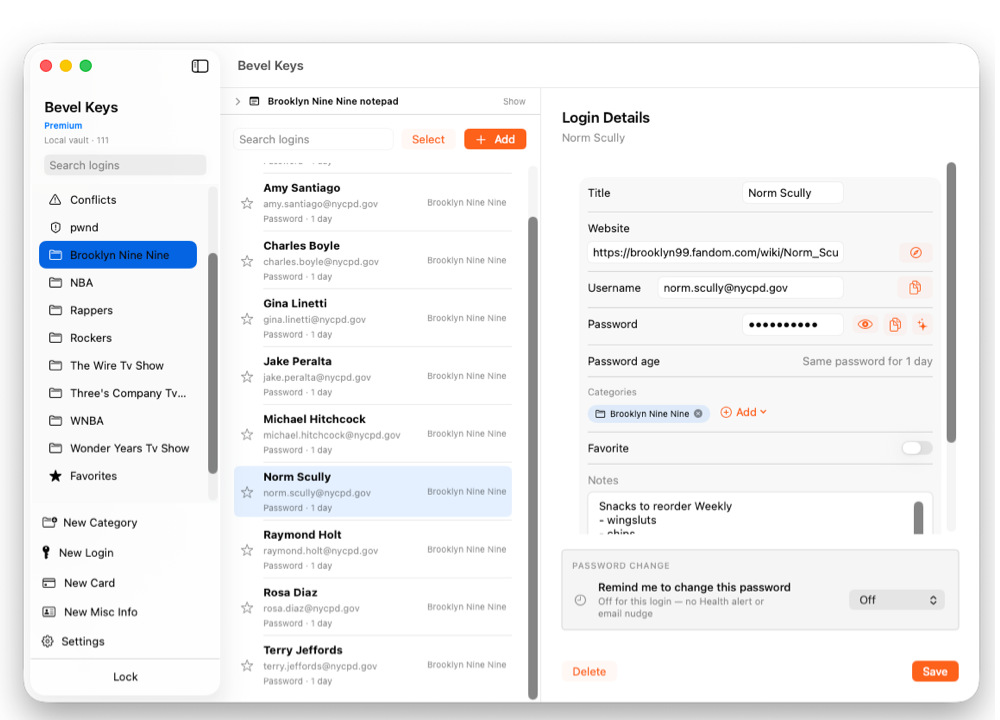
Why Bevel Keys
Built for startups and project coders
Individual developers can keep not just passwords but also API keys and env file content in Bevel Keys — organized by project on a local encrypted vault on your Mac.
How it works
Create a vault
Set a master password on your Mac and save the 12-word recovery phrase Bevel Keys gives you.
Store logins
Organize into categories, import from CSV, and keep an encrypted backup you control.
Unlock locally
Open your vault with your master password or Touch ID. Premium adds the Chrome extension with auto-save.
What's inside
Everything a local vault needs, nothing it doesn't
Local encrypted vault
Your logins live in an encrypted vault file on your Mac — day-to-day use doesn't depend on a Bevel Keys cloud login.
Master password & recovery phrase
A 12-word recovery phrase is issued when you create your vault, so you can regain access if you forget your password.
Touch ID unlock
On supported Macs, enable Touch ID in Settings after your first master-password unlock.
Categories + notepad
Group logins into Work, Family, or categories of your own — each with a notepad for related notes or API keys.
CSV import and export
Bulk-add logins with Bevel Keys' CSV template, and export the vault to CSV whenever you want out — no lock-in.
Encrypted backup
Create encrypted backups you control, and restore them onto a Mac whenever you need to.
100 Accounts
Bevel Keys Free stores up to 100 logins in your local vault — enough for side projects before you unlock Premium.
Chrome/Brave Auto Fill
Premium unlocks the browser extension for Chrome and Brave so you can fill and save logins from the page.
Unlimited categories and unlimited accounts
Premium removes the Free login cap and lets you grow categories and accounts without the 100-account ceiling.
iCloud Sync
Optional. Copy the still-encrypted vault through your iCloud Drive so another Mac on the same Apple ID can unlock it locally. Off by default. Not a Bevel Keys cloud account.
FAQs
A few things people ask first
Does Bevel Keys store my passwords in the cloud?+
There is no Bevel Keys cloud account and no Bevel Keys server holding vaults. Unlock stays on your Mac. Premium can optionally copy the still-encrypted vault through your iCloud Drive (iCloud Sync, off by default).
What happens if I forget my master password?+
Use your 12-word recovery phrase. Keep that phrase offline. If you lose both, Bevel Keys cannot reset access for you.
Is Bevel Keys free?+
Yes. Bevel Keys Free includes the local encrypted vault with a login limit. Premium is a one-time purchase for unlimited logins and the Chrome extension with auto-save.
Get Bevel Keys for Mac
Your vault stays on that Mac unless you restore an encrypted backup you control.